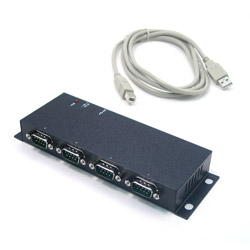
UTS-408AK
Industrial 8-Port RS-232 to USB 2.0 High Speed Converter with Locking Feature
213,00 EUR Unavailable
OVERVIEW
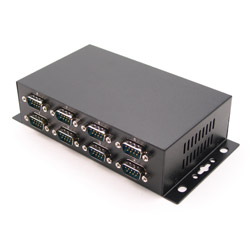
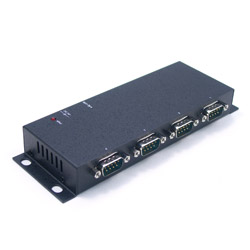
The UTS-408AK is an 8S RS232 to USB serial adapter that is designed for PC, thin client, or server to provide instant COM port expansion via the Universal Serial Bus (USB).
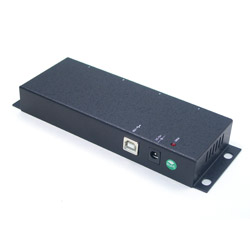
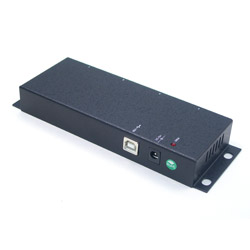
It supports screw lock features for the upstream (USB type B) connector with the screw lock USB cables. It prevents from disconnecting the USB cables accidently.
The UTS-408AK provides the scalability to quickly adapt to new USB technologies. Multiple modules can be added to a single USB interface allowing you to add RS232 connectivity as needed. Complete product line offer many choices help you to expand and make your network grow with your requirements.
With the USB Plug-and-Play feature, simply plug in, follow the instructions of Install Wizard, then you are done. You don¦t have to deal with Card Slots, I/O address, IRQ jumpers, DMA and others when you are connecting the devices. The System will recognize the device and install the drivers automatically. The UTS-408AK is an ideal solution for your expanding applications.
| Connector | 8 x DB9-Male UART Serial Ports |
| Dimensions | 6.83in x 3.83 in x 1.70 in (17.35 x 9.72 x 4.32 cm) |
| Humidity | 5 to 95% RH |
| Operating Temperature | 0° C to 55° C (32° F to 131° F) |
| Storage Temperature | -20° C to 85° C (-4° F to 185° F) |
| Warranty | 5 Years |
FEATURES
- USB Screw Lock Mechanism for Enhanced Reliability
- Provides 8 RS232 Serial Ports over USB Port
- Provides 8 DSUB-9 Connectors
- Rigid Metal Case for Critial Applications
- Baud Rate up to 921.6Kbps
- Supports 7,8 Data Bits
- Odd, Even, Mark, Space, or None parity mode
- DC Jack for Optional DC 5V Power Input
- Supports 1, or 2 Stop Bits
- Supports USB Bus Power
- Supports Windows 98, Me, XP, CE, 2000, 2003, Vista, Windows 7, and Linux
SHA-512 Checksum
Use this checksum to verify the integrity of the downloaded file.
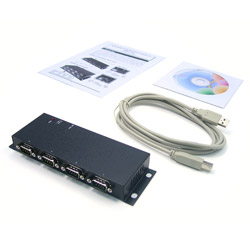
INCLUDED
- UTS-408AK
- CD Drivers/Utilities
- User's Manual
- USB Cable